How to Find Pet-Friendly Rentals on BeTrusty
Moving with your pet? Use the Pets welcome filter, recognise pet-friendly indicators and include your pet when exploring your next home on BeTrusty.

Moving with your pet means finding a place for everyday life together: coming back from a walk, settling into a workday and keeping a familiar routine. Pet acceptance belongs near the start of that search.
BeTrusty has pet-friendly rental options and a Pets welcome filter to help you find them. You can also spot a pet-friendly indicator on property cards while browsing. Here is how to use those features to build a shortlist, then look more closely at the homes you like.
Start with the Pets welcome filter
Open BeTrusty's apartment search and choose your destination in Location. The search covers different cities, so choose Buenos Aires if that is where you plan to stay.
Next, select Filters. In Pets and family, tick Pets welcome, then select Show results to apply it.
Start with options marked for pets, then decide which location and layout suit the life you are planning.
You can also open the search with Pets welcome already selected. Check the active filters when you arrive and adjust the rest of the search for your needs. The options shown can change as you refine your search or as listings are updated.

Look for the pet-friendly indicator on property cards
As you browse, look for the light-blue paw icon at the top left of a property card, next to the family indicator when both are shown. It helps you recognise the pet-related attribute while comparing homes, alongside the other information shown in the results.

Use it to decide which listings to open next. Perhaps one apartment's living area catches your eye, while another has a layout you want to explore. Open the individual listing to see its photos and description in more detail and consider how you would use the space with your pet.
The indicator tells you something useful about the listing. It does not describe every condition for every animal. Once you have found a place you like, confirm that your particular pet is accepted for the stay you have in mind.
Open a listing and check the details
For a concrete example, open 19 - Studio in Palermo, Bustamante St.. Its listing shows Pet friendly with Pets welcome beneath it. Look for the attribute while viewing the home itself.

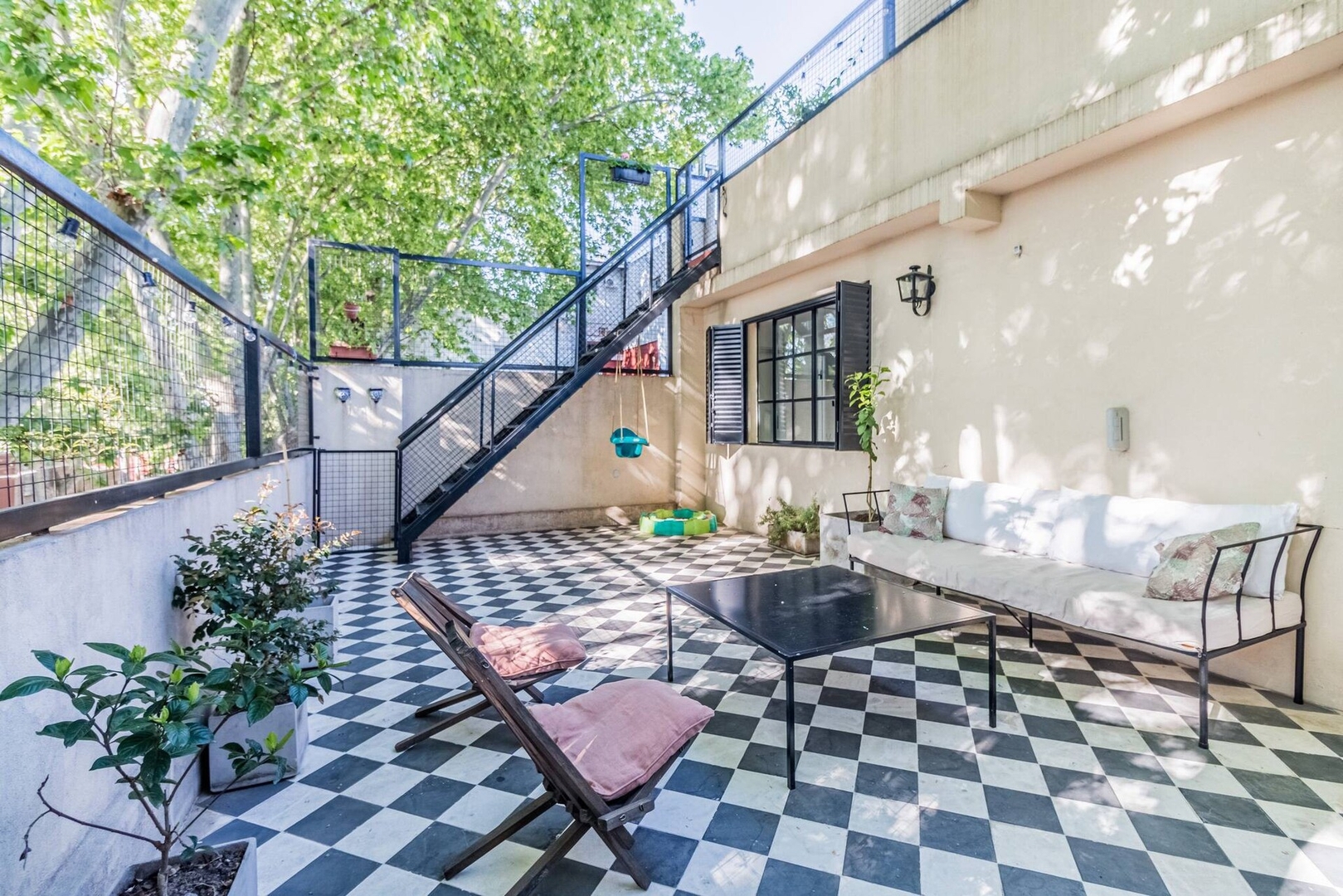
Look through the photos with ordinary moments in mind: where you would sit while your pet rests nearby, where you would keep their things and how you would move around together. If daily walks are part of your routine, explore the surrounding area too.
Ask about anything the listing leaves unclear. A balcony, staircase or outdoor space may matter to your choice; its presence alone does not tell you whether it works for your animal.
Include your pet in Guests
In the listing's booking panel, open Guests. Alongside adults, children and infants, you will find a pet counter. Use the + control to add your pet and check that the Guests summary reflects your group.

In this example, adding a pet changes the summary from 0 pets to 1 pet. Including that information makes your intended group explicit in the selection. It is a separate step from confirming the property's conditions for your animal. Choosing the counter does not submit an application.
Found a place you like? Confirm the fit
When you ask about a shortlisted apartment, describe the type, number and approximate size of your pets. Confirm acceptance for your intended stay, any relevant property or building rules, and whether there are additional charges. A short, specific question is more useful than a general “Are pets allowed?”
For a fuller checklist, read our questions to ask before booking a pet-friendly rental. That guide helps you turn a promising option into an informed decision.
Ready to look for your next home together? Explore BeTrusty's pet-friendly rental options, open the places you like and start with the details that matter to you and your pet.
Find a home for you and your pet
Start with Pets welcome, then refine the search for your destination and stay.
Product screenshots and example
- BeTrusty pet-friendly search
BeTrusty
Live product screens captured on 21 October 2026. Counts, listings, prices and interface details may change.
- 19 - Studio in Palermo, Bustamante St.
BeTrusty
Pet-friendly listing used to demonstrate the indicator and Guests selector. Availability and individual conditions require confirmation.