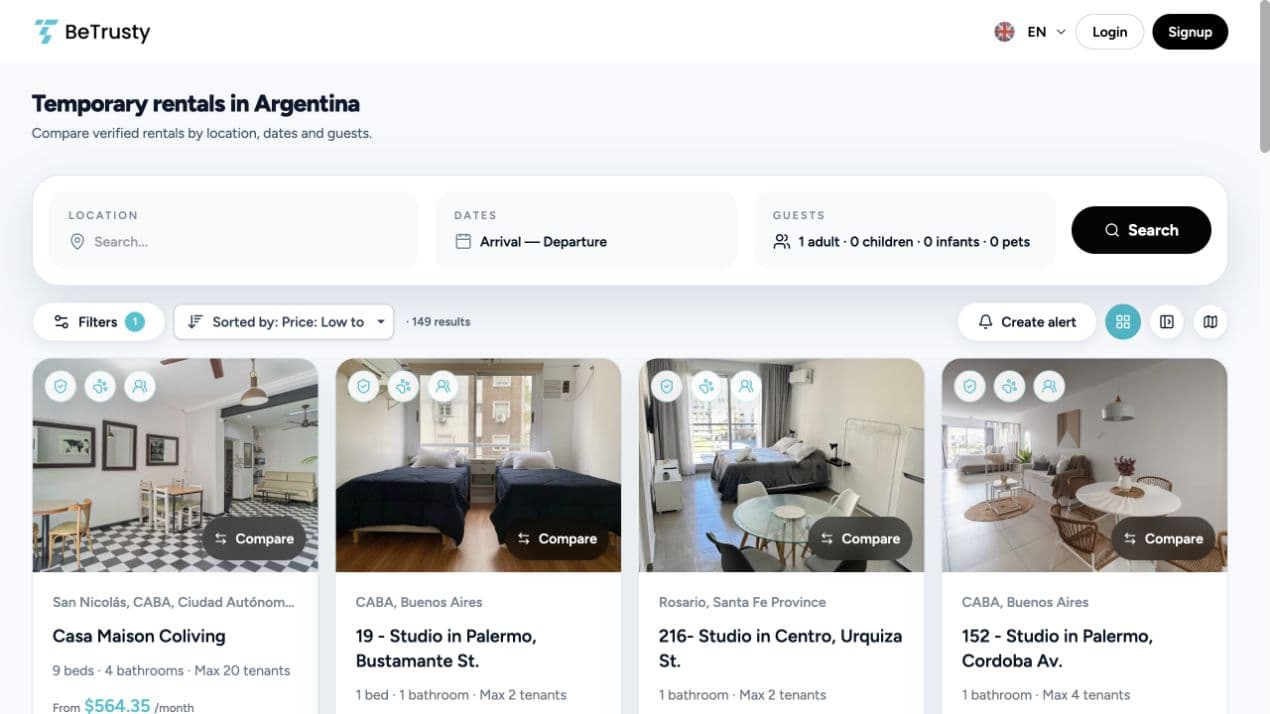
Flexible dates? Find your next available stay with BeTrusty
Found an apartment you like? See how BeTrusty suggests compatible dates, keeps your selected number of nights and lets you choose your next stay.
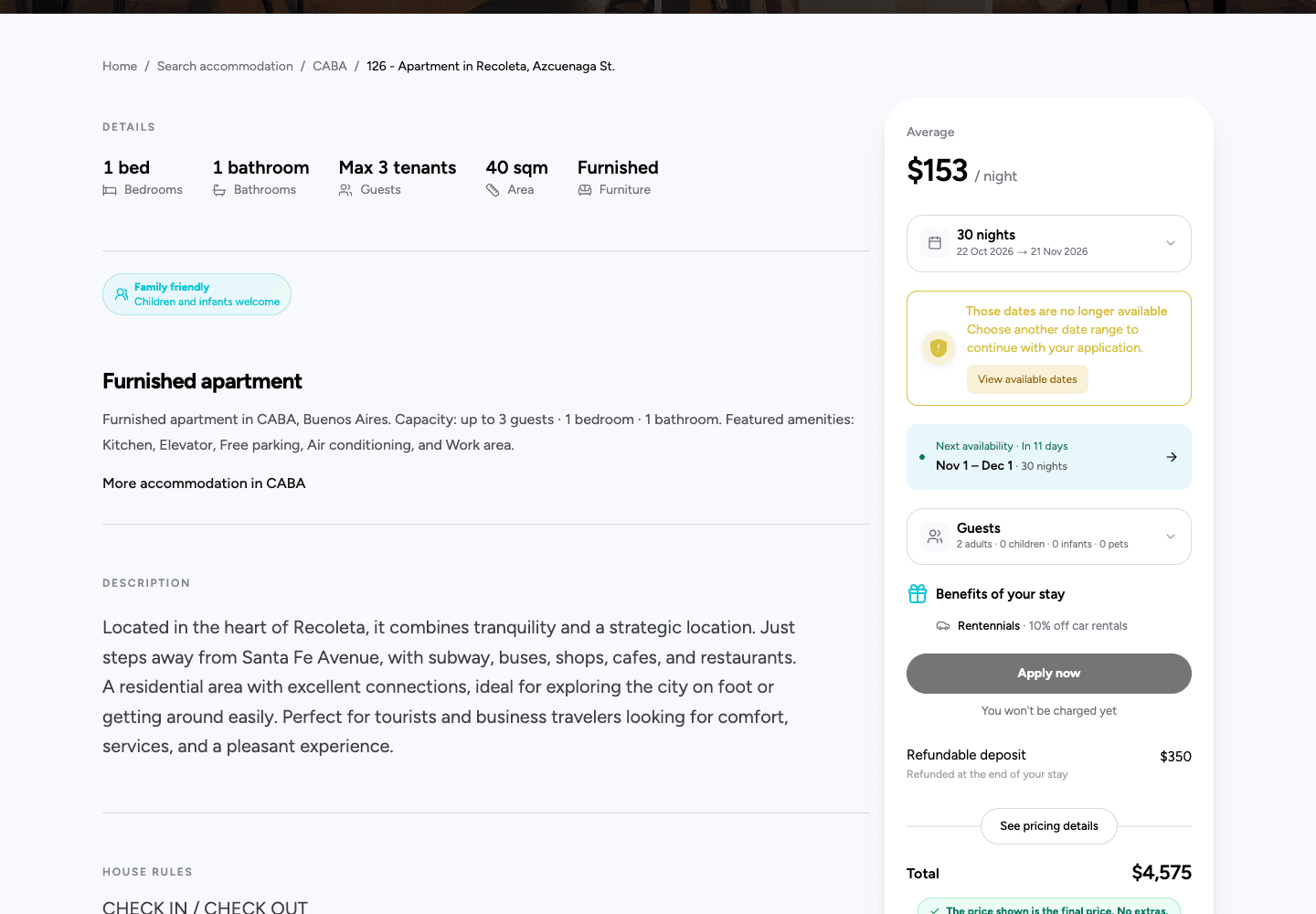
You find an apartment you like, but the dates you had in mind do not fit. Before moving on, it helps to know when you could stay there instead.
BeTrusty can now suggest the next compatible dates on a listing. If you already chose a full stay, the suggestion keeps the same number of nights. If you are still exploring without dates, it gives you a possible check-in to start from. You decide whether it works for your plans.
When your preferred dates are unavailable
Open the apartment's listing and look for the light-blue availability row near the date selectors. When the system finds a compatible alternative, you can select it directly rather than trying dates one by one.
Your original dates stay selected until you choose the suggestion. The system checks availability again when you select it and calculates the price for the new stay.
Example: moving a 30-night stay. Imagine you want to arrive on November 1 and leave on December 1: 30 nights. That stay is unavailable, but the next compatible 30-night window starts on November 6. The suggestion would run from November 6 to December 6. You can consider arriving five days later while keeping the length of your stay.
These dates are an illustration, not a live offer or a promise of availability at any particular apartment.
When you have not chosen dates yet
You can also explore a listing before deciding when to travel. When a suggestion is available, BeTrusty shows a possible check-in. Select it to start choosing your stay, then pick your check-out in the calendar.
The system does not choose how long you want to stay for you.
Example: planning a month in Buenos Aires. You are browsing apartments before booking your flight. A listing suggests November 12 as the next possible check-in. Select it, then choose a check-out that fits your plans and the apartment's stay conditions. You can compare the resulting price before deciding what to do next.
November 12 is illustrative; the date you see depends on the listing and its calendar.
A short gap is not always enough
An apartment being free for a few days does not mean it can accommodate your full stay. For a search with both dates selected, the suggestion looks for a compatible window for the whole duration, taking the listing's stay restrictions into account.
Example: keeping two weeks together. You need 14 nights. A five-night gap would not cover that stay, so it is not a substitute for your selected dates. A later compatible 14-night window can be suggested instead. That is useful when you can move your arrival but still need the full two weeks.
If your arrival is fixed, keep that requirement and look at other apartments. A suggested alternative is an option to consider, not a reason to change a trip that cannot move.
Check the new dates and price before continuing
Selecting a suggestion updates your proposed stay; it does not reserve the apartment. Review both dates, the number of nights and the updated price before continuing with your application. Moving the stay can change the price.
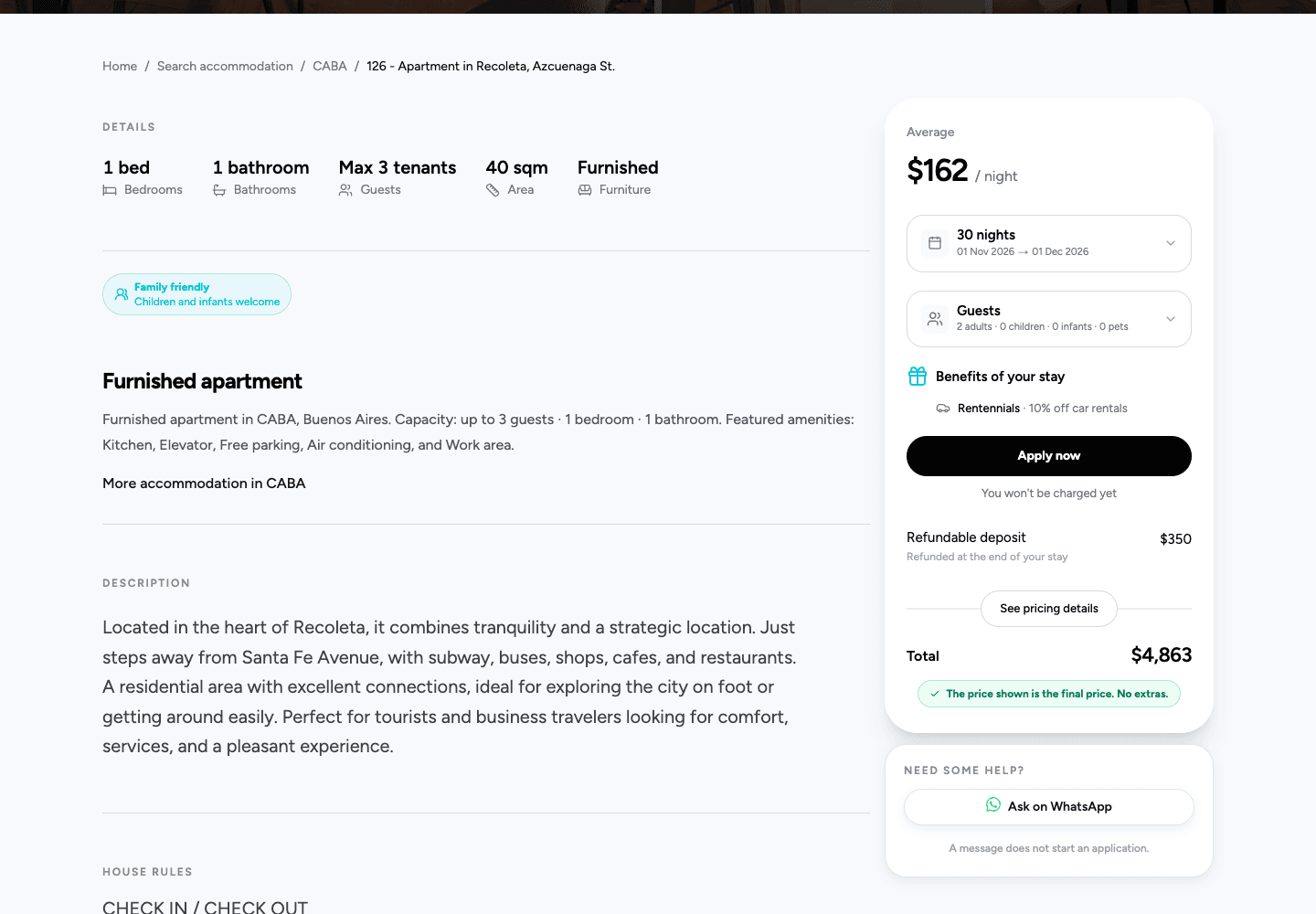
Availability can change while you browse. If the suggested option is no longer available when checked again, review the updated information and make a new choice. If the calendar cannot be checked or no compatible stay is found, you may not see a selectable suggestion.
Try it on an apartment you like
Explore apartments on BeTrusty, open a listing and check the availability section. If a suggested stay fits your plans, select it and review the updated details. If you are browsing without dates, start with the suggested check-in and choose your check-out.
A little flexibility can give you another way to consider a home you already like.